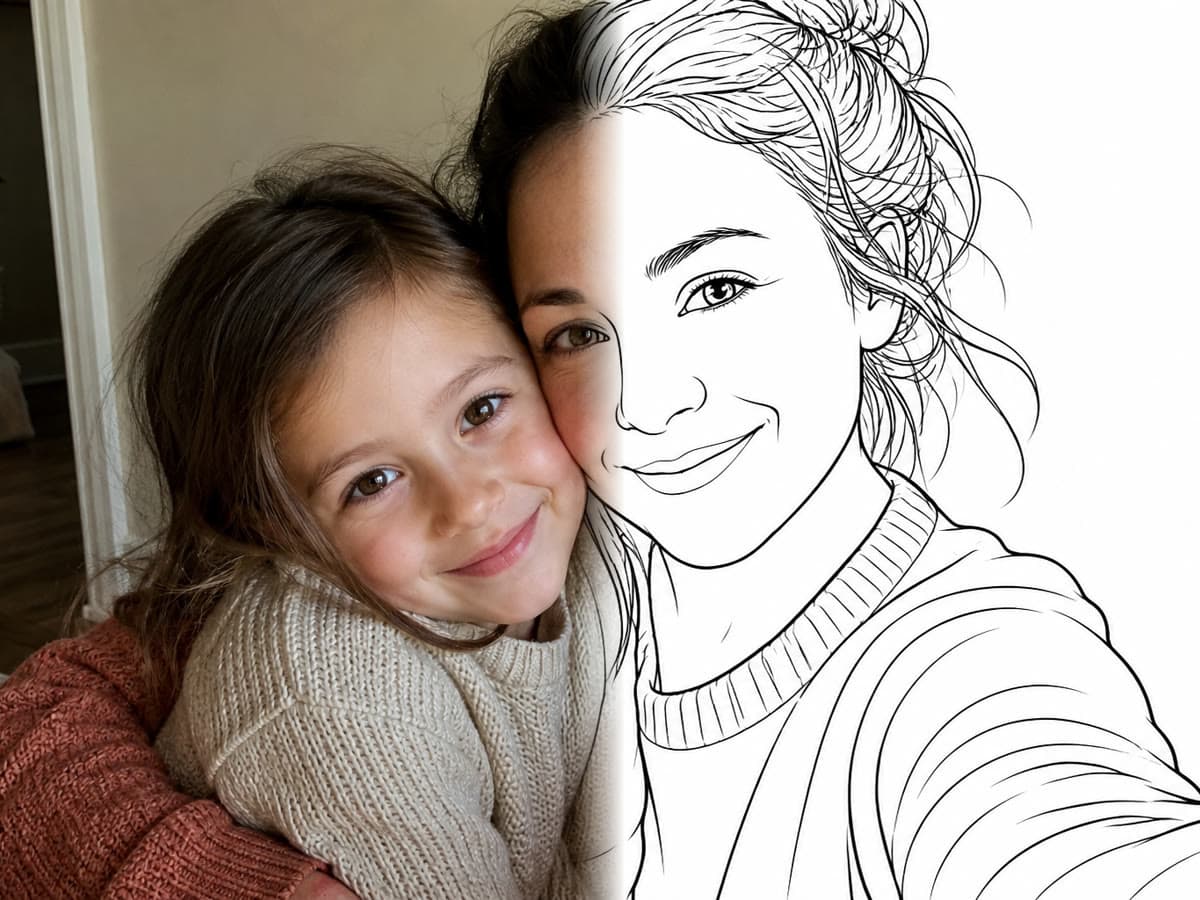
Not every photo makes a good coloring page. Here's what separates clean line art from an unreadable scribble — and how to pick the right image before you convert anything.
Turning a photo into a coloring page means throwing away color and texture to keep only the outlines. Anything the algorithm can't reduce to a line disappears. That's why a gorgeous photo sometimes yields a disappointing page, and an ordinary snapshot sometimes yields a great one.
What makes a good source photo
- A subject clearly separated from the background — a portrait against a plain wall beats one in a crowd.
- Directional light, from the side rather than head-on: it carves the volumes the line art will pick up.
- Sharpness on the subject. Motion blur becomes a shaky outline, never an artistic effect.
- A simple background. Foliage, crowds, repeating patterns: all noise that floods the page with lines.
The cases that almost always disappoint
Night shots and backlit photos produce solid black areas: with no readable gradient, there's no outline to extract. Distant landscapes turn into lace made of micro-lines — pretty on screen, impossible to color with a finger. Group photos end up tangled; crop to one person instead.
After the conversion: the work begins
A converted page is a starting point, not a finished result. That's exactly what Studio mode is for in Pintej: crop, add a title with a typography preset, drop in a frame or stickers, compose several pages into a book. That step is what turns a good conversion into something worth keeping.