Family photos
Make a Coloring Book From Your Family Photos
Holidays, birthdays, the first day of school: the photos already on your phone can become a coloring book about your own family.
Pintej turns each photo into a clean coloring page, then helps you put the pages together with a cover and a title. You print it at home — no print shop, no shipping.
The browser trial needs a Google sign-in. The app is coming to iPhone first.
One photo, three styles
The same photo turned into a coloring page in the Normal, Manga and Comic styles. Pick the one that fits the person you’re making the book for.
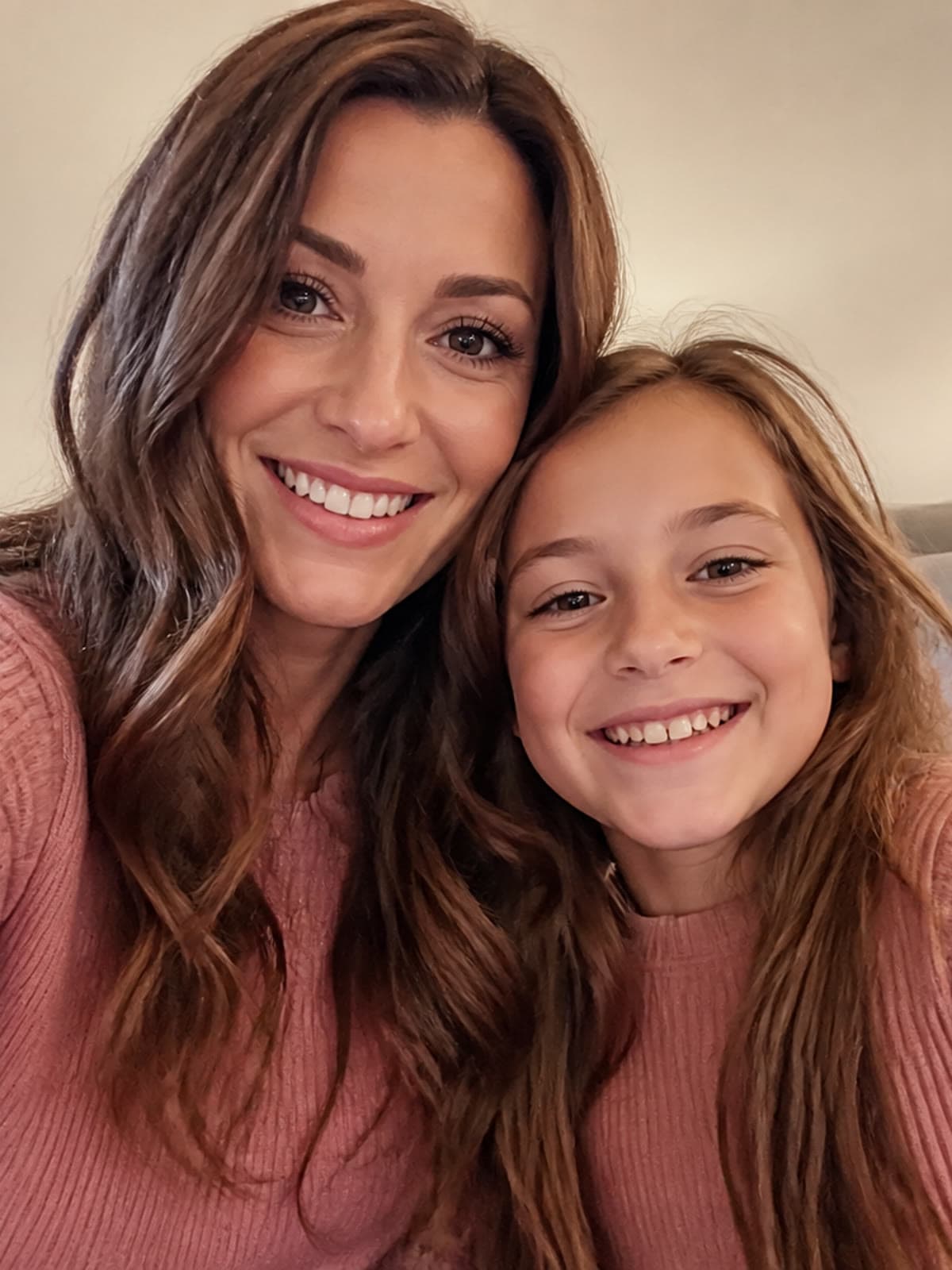
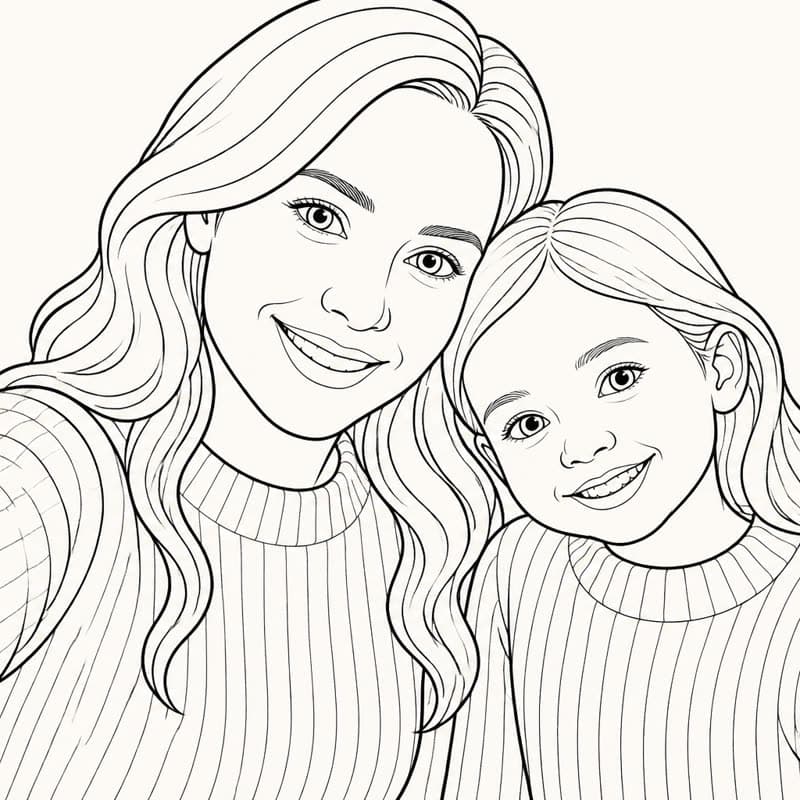
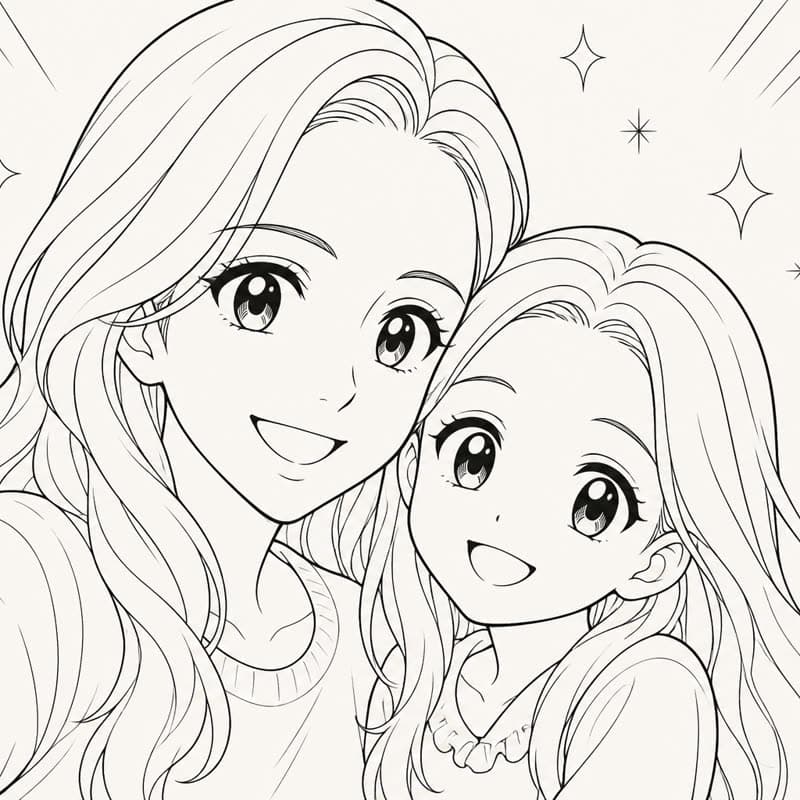
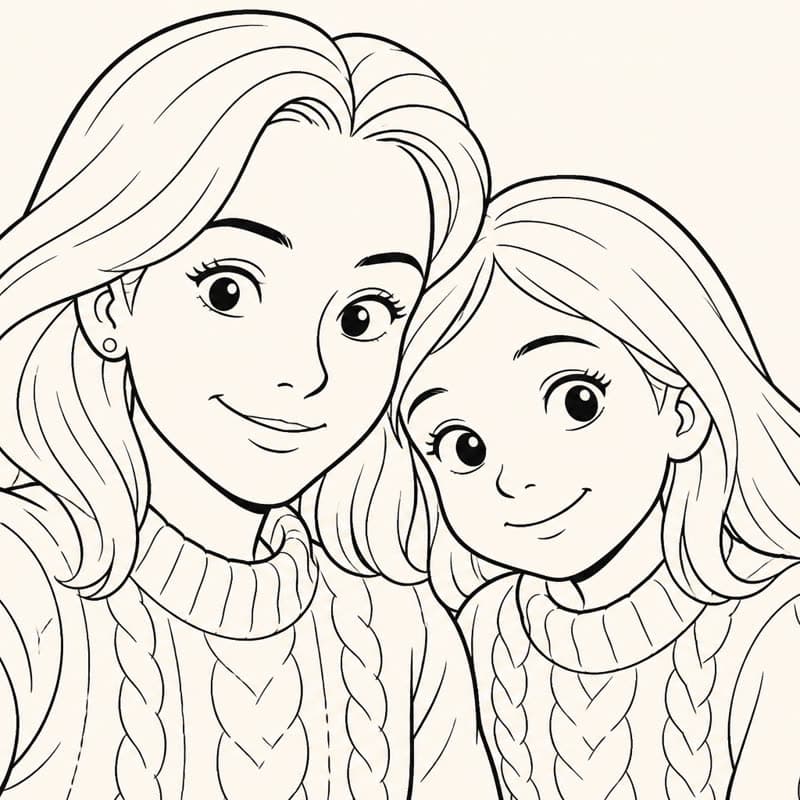
Real Pintej output from a sample photo we use for demos. Your own photos go through exactly the same steps.
From photos to a book you print at home
- 1
Pick your photos
Ten or so is a good size for a first book: enough variety, quick to color.
- 2
Turn each one into a page
Choose a style. Pintej draws the outlines and closes the areas so they’re easy to fill.
- 3
Build the book
In the Studio: page order, a cover, a title, a short dedication.
- 4
Print at home
Export a PDF in A4, A5 or mini-book format and print it on your own printer.
Choose photos that work
Coloring pages are made of outlines, so what matters is shape, not color. The best photos have a clear subject and not too much going on behind it.
- Faces that are sharp and not too small in the frame
- Light from the side rather than a harsh flash
- A simple background: a wall, the sky, a lawn
- Two or three people per photo rather than a crowd
Print at home in minutes — no shipping
Once the book is ready, export it as a PDF and print it yourself. You can print just the pages a child wants to color today and keep the rest for later.
Ideas by occasion
- Christmas: a book of the year’s family moments
- Birthdays: one page per year of a child’s life
- Grandparents: their grandchildren to color, or old family photos
- Summer holidays: a souvenir of the trip to color on the way home
Questions
How many photos do I need?
There’s no minimum. Around ten photos makes a nice first book, and you can always add pages later.
Can I add a cover and a title?
Yes. In the Studio you choose the cover, the title and the order of the pages.
Is the book printed and mailed to me?
No. Pintej is digital: you export a PDF and print it at home.
Can I try it before the app is out?
Yes, you can turn a photo into a coloring page in your browser after signing in with Google. Building and printing a whole book happens in the iPhone app.
Keep exploring
- Personalized Christmas coloring bookA last-minute gift with no shipping: print it at home on Christmas Eve.
- Personalized coloring book giftA gift made from your photos, printed at home.
- Pet coloring page from a photoYour dog, cat or rabbit as a page to color.
- Which photos make good coloring pagesContrast, sharpness, background: what actually works.
- Printing a coloring book at homeFormats, paper and binding before you hit print.
- Ready-made coloring booksColoring books made by Pintej, to browse page by page.
Pintej is coming to iPhone.
Join the waitlist and we’ll email you the day Pintej opens on the App Store.
We'll ping you at launch. No ongoing newsletter.
Want to see it first? Turn one of your photos into a coloring page.